
The AI pair programmer
that knows Mule.
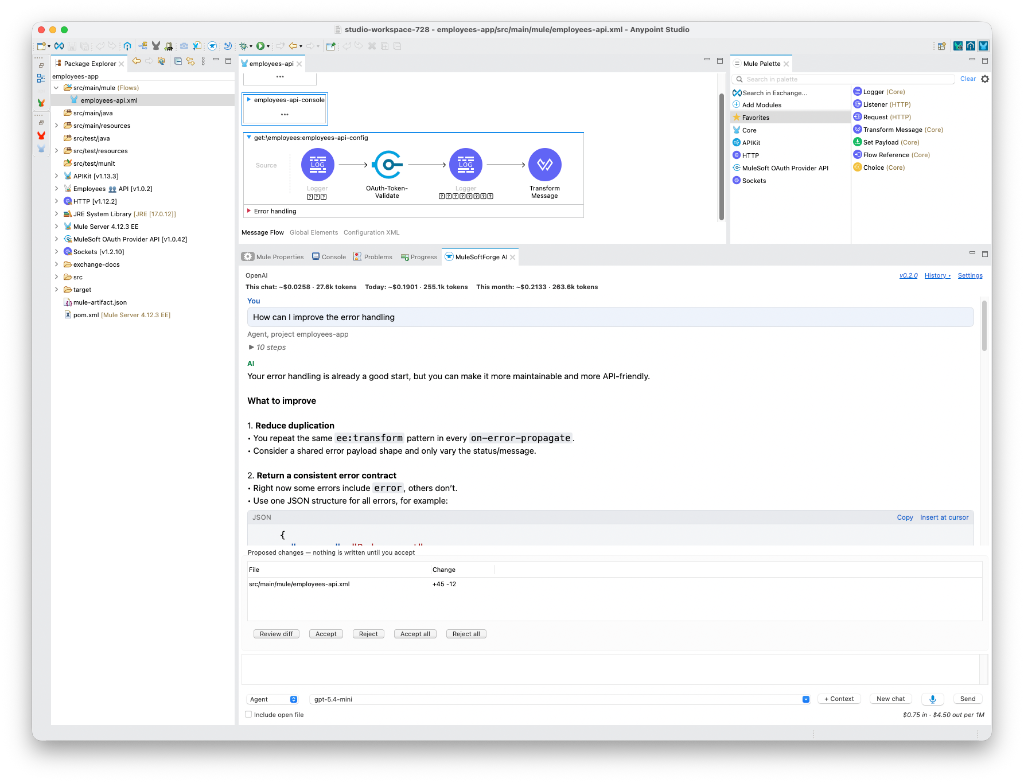
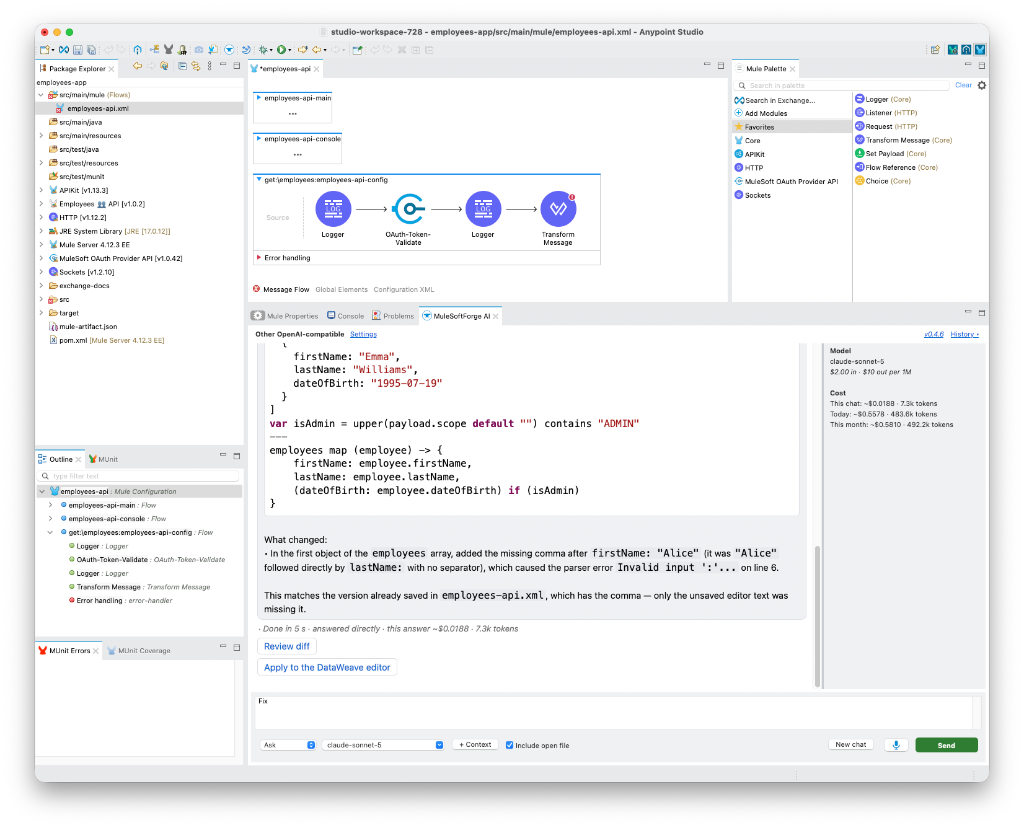
MuleSoftForge Studio AI lives inside Anypoint Studio. Ask about flows, DataWeave, Problems, Console output and live debugger events. Every change comes back as a diff, checked against your project, and nothing is written until you accept.
For Anypoint Studio 7.28+ on Java 17 · your own API key · no other Studio extensions needed
- Read src/main/mule/employees-api.xml
- connector_reference http, apikit
- Proposed change to employees-api.xml
- check_project: no new problems
Each on-error-propagate repeats the same ee:transform. I moved it into one shared api-error-handler so every error returns the same JSON contract, and checked the project with the change applied.
- Ask · Agent · Plan · Diagnosefour modes, one view
- Checked firstMule XML, connectors, DataWeave
- Secrets maskedbefore anything is sent
- You acceptnothing is written until then
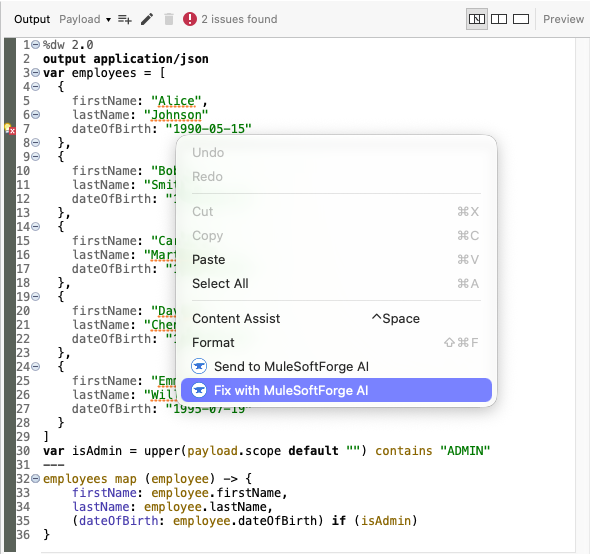
Send it from wherever you're stuck
Right-click, or press Cmd/Ctrl+Alt+I. The AI gets exactly what you're looking at, attached to your next message.
Ask it. Diagnose it. Let it act. Or plan first.
Ask, Plan and Diagnose only get read tools, and the tool layer refuses edits in those modes as well.
Proposes edits as diffs you review.
Reads, proposes and checks its own changes. Nothing is written until you Accept, and Accept refuses if the file changed since the proposal.
- ✓Reads the project
- ✓Proposes edits as diffs
- –Writes a plan
- –Finds the cause, with evidence
- ✓Sends POST, PUT and DELETE to your local app
Checked before you ever see it
When the AI proposes a change to Mule XML, pom.xml or your properties, the plugin checks the project as it would be with the change applied. New problems go back to the AI to fix first.
- Connector operations and attributes are checked against the version in your
pom.xml - DataWeave is compiled with MuleSoft's DataWeave CLI
- Ask "why won't this deploy?" and it runs the same checks on the whole project
- XML is well-formed, every prefix declared
- Namespaces and xsi:schemaLocation
- Connector dependency in pom.xml
- config-ref, flow-ref and error-handler names exist Fixed by the AI before you saw it: hr-db-config
- ${property} defined in .properties or .yaml
- Operations and attributes match the connector version
- DataWeave compiles (DataWeave CLI)
# src/main/resources/config.properties
db.url=jdbc:mysql://hr_admin:«masked-1»@db.internal:3306/hr
db.password=«masked-1»
api.token=«masked-2»
salesforce.password=${secure::sf.password}

<!-- src/main/mule/global.xml -->
<http:basic-authentication username="svc-hr"
    password="«masked-3»"/>
<db:my-sql-connection password="${db.password}"/>
Your secrets stay in Studio
Passwords, keys, tokens and client ids become «masked-N» before your message, files, console output or attachments are sent. References like ${secure::x} are kept, so the AI can still follow your configuration.
- When it edits a masked line, the real value is put back before you review
.env, keys, keystores andcredentials*.jsonare never read- A hardcoded secret in Mule XML gets flagged, with a fix that moves it to secure properties
Any model. Your key. Every cent visible.
Switch models mid-chat and the conversation carries over. The cost column shows what this chat, today and this month have cost.
Straight from Anypoint Studio
Click a screenshot to see it full size.
Running in Studio in four steps
New releases arrive through Studio's own updates: see Update and roll back. Stuck? Troubleshooting. Curious how it works? Build it yourself.